

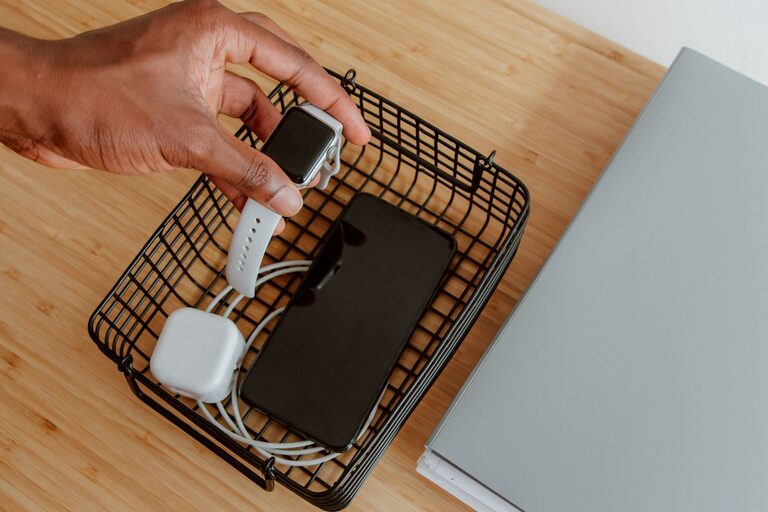
Setting up a dedicated charging station for your devices can help keep your space tidy and ensure all of your gadgets are powered and ready to use. Whether you have smartphones, tablets, smartwatches, or other rechargeable electronics, having one organized spot for charging saves time, reduces clutter, and protects your devices.
This guide will walk you through the steps to create a functional charging station at home, including choosing the right location, gathering necessary equipment, and organizing your cables and chargers effectively.
Why You Should Set Up a Charging Station
Before diving into how to set up a charging station, let’s consider the benefits:
– Reduces Clutter: Instead of scattered chargers and tangled cables around the house, everything is neatly arranged.
– Saves Time: You’ll know exactly where to plug in your devices, avoiding the daily scramble for chargers.
– Protects Devices: Keeps your gadgets safe from accidental damage or being misplaced.
– Improves Charging Efficiency: Using a multi-port charger or charging dock can reduce the number of power outlets needed.
Step 1: Choose the Right Location
Start by selecting a convenient and easily accessible spot for your charging station. Consider these factors:
– Central Area: A common area like the living room, kitchen counter, or home office desk works well.
– Near Power Outlets: Make sure the spot has enough outlets or the ability to use a power strip safely.
– Flat Surface: You’ll need a stable surface like a table, shelf, or dedicated charging station furniture.
– Safe Environment: Keep the station away from moisture or direct sunlight to protect your devices.
Step 2: Gather Your Equipment
To set up your charging station efficiently, gather the following items:
– Multi-Port USB Charger: Instead of multiple single chargers, a multi-port USB charger can power several devices simultaneously.
– Power Strip with Surge Protection: Provides extra outlets and protects against electrical surges.
– Charging Cables: Make sure you have the appropriate cables for all your devices (USB-C, Lightning, Micro-USB).
– Charging Dock or Stand: Optional but helpful for holding devices upright while charging.
– Cable Management Tools: Use cable clips, ties, or sleeves to keep cords neat.
– Storage Container or Tray: For organizing chargers, cables, and smaller accessories like earbuds or power banks.
Step 3: Prepare Your Charging Station
– Place the power strip and multi-port charger on your chosen surface.
– Connect the multi-port charger to the power strip.
– Arrange the charging cables close to the charger but leave enough slack to easily plug in your devices.
– If you have a charging dock or stand, set it up to hold your devices securely.
Step 4: Organize Your Cables
Cable clutter is a common problem in charging areas. Try these tips to keep things tidy:
– Label Your Cables: Use simple labels or color-coded bands to identify each cable quickly.
– Use Cable Clips: Attach clips along the back or side of the charging station surface to route cables neatly.
– Bundle Excess Length: Use cable ties or Velcro strips to shorten the visible cable length.
– Store Spare Cables: Place unused or spare cables inside a container or drawer nearby.
Step 5: Personalize and Maintain Your Station
Make your charging station a pleasant part of your space by:
– Adding decorative elements like a small plant or photo frame.
– Choosing a charging station organizer that matches your decor style.
– Regularly cleaning the area to prevent dust buildup.
– Checking cables and chargers periodically for damage and replacing them as needed.
Additional Tips for a Successful Charging Station
– Use Fast Chargers When Possible: Fast charging compatible devices or chargers speeds up the process.
– Avoid Overloading Outlets: Make sure your power strip and chargers don’t exceed their electrical limits.
– Charge Devices Evenly: Rotate which devices charge at the station to avoid wear on certain cables or ports.
– Consider Wireless Chargers: For compatible devices, wireless charging pads can simplify plugging in.
Conclusion
Setting up a charging station is a simple but impactful way to organize your electronics and keep your devices powered efficiently. By choosing the right location, using multi-port chargers, managing cables, and maintaining the area regularly, you can enjoy a neat and functional setup that works for the whole family.
With your new charging station in place, you’ll spend less time hunting for cords and more time enjoying your gadgets fully charged and ready to go.